Microsoft Copilot Updates Aug 2026
Microsoft Copilot Updates August 2026: The Must-Have Changes for Business
More than three years after Microsoft first introduced Bing Chat in February 2023, and as we approach the third anniversary of the Copilot brand, it is remarkable how quickly the platform has evolved.
Microsoft Copilot started largely as an AI assistant you could ask to summarise a document, draft an email or answer a question.
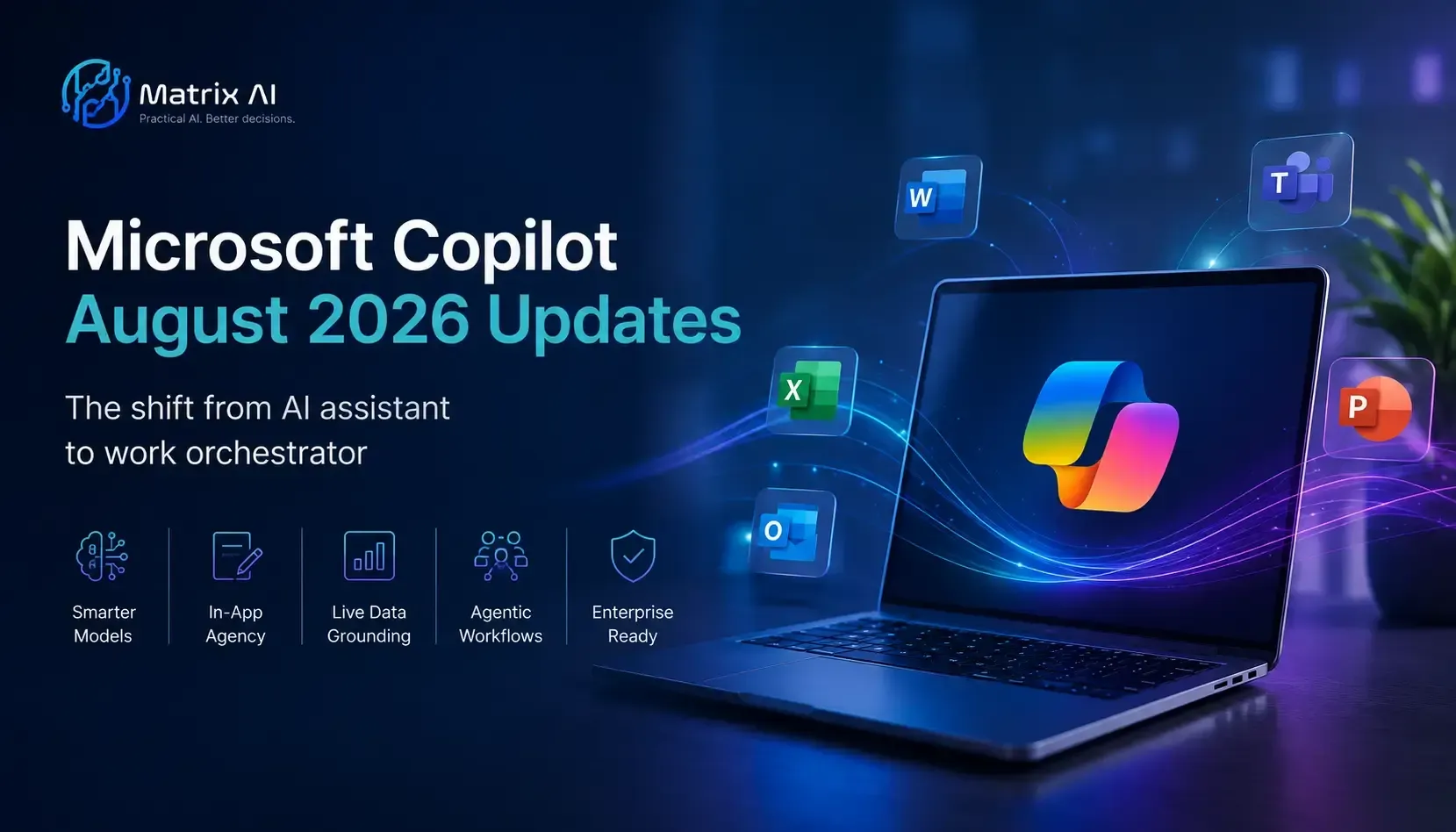
The August 2026 updates show Microsoft pushing Copilot towards something much bigger: an AI layer that can work across applications, organisational data, agents and business workflows.
There are plenty of new features, but from an AI adoption perspective, not all of them matter equally. These are the five August updates I believe business and technology leaders should be paying attention to.
1. Excel Is Becoming One of Copilot's Most Powerful Business Tools
For many organisations, Excel may end up being one of the most valuable places to use Microsoft Copilot.
The latest capabilities move Copilot well beyond simply asking it to analyse a spreadsheet. Users can increasingly apply AI directly within their data, receive formula assistance, bring information from other documents into an analysis and use different approaches for exploring, planning and editing work. Use AI directly within spreadsheet workflows.
- Identify trends, anomalies and patterns faster.
- Bring information from other files and documents into an analysis.
- Support repeatable analytical and reporting tasks.
My advice: don't train employees on Excel Copilot as a generic feature. Train them using their actual reports, data and recurring business tasks.
2. Copilot Is Starting to Take Action, Not Just Give Answers
One of the most important changes is the shift from Copilot telling you what needs to happen towards helping you actually do it.
Outlook is a good example. Copilot is becoming increasingly capable of supporting actions around meetings, scheduling, email follow-ups and administrative workflows.
Strategically, this matters because the next phase of workplace AI isn't simply content generation. It's task execution.
Think about how much time organisations collectively spend coordinating meetings, responding to email, following up actions and moving information between systems. These aren't glamorous use cases, but the productivity opportunity is substantial.
3. Copilot Is Moving Deeper Into Word and PowerPoint
The future of Copilot isn't employees spending all day inside a separate chat window. It is Copilot increasingly working inside the applications where the work already happens.
Word is becoming more useful for reviewing, rewriting and improving existing documents, while PowerPoint is getting better at creating presentations using organisational content, templates and branding.
That's far more useful than generating a generic presentation or document and then spending another hour fixing it.
One of the most important Copilot skills is therefore becoming: which Copilot experience should I use for this task?
4. Copilot Is Becoming More Flexible About the AI Behind It
Another significant development is Microsoft's move towards greater flexibility in the AI models and specialist capabilities available through Copilot.
Different models may be better suited to different types of work, whether that's complex reasoning, research, analysis, writing or working with long documents.
I don't believe most employees need to become experts in foundation models. But they do need to understand that Copilot is increasingly becoming an orchestration layer rather than one fixed AI experience.
The practical skill isn't knowing every model. It's knowing how to choose the right Copilot experience, agent or tool for the job.
5. Agents Are Moving Copilot From Tasks to Workflows
This is the development I think executives should watch most closely.
Copilot is increasingly moving from completing isolated tasks towards coordinating multiple steps using agents and connected Microsoft 365 capabilities.
Instead of simply asking Copilot to summarise a meeting, think about a workflow where AI reviews the meeting, identifies actions, prepares follow-up communication, creates tasks and updates the relevant project information.
That's the shift from individual productivity to workflow productivity — and I believe that's where much of the real economic value of Copilot will eventually sit.
Key Takeaways From the August 2026 Copilot Updates
- Excel is becoming a much more important Copilot productivity environment.
- Copilot is increasingly taking actions rather than simply generating answers.
- In-app Copilot experiences are becoming more important than standalone chat alone.
- Users will increasingly need to understand which Copilot experience, model or agent fits each task.
- The biggest opportunity is moving from individual productivity towards collaborative and workflow productivity.
The Biggest Copilot Update Isn't a Feature
For me, the most important takeaway from the August updates isn't Excel, Outlook, Word or another AI model.
It's the direction of the platform itself.
Microsoft Copilot is steadily evolving from something employees ask questions of into something they work alongside across Microsoft 365.
That means successful adoption increasingly needs to be considered at four levels:
Individual Productivity
How does Copilot help one person work faster and make better decisions?
Collaborative Productivity
How does it improve meetings, shared documents, knowledge and teamwork?
Workflow Productivity
Which repeatable business processes could Copilot and agents improve?
Organisational Adoption
Do we have the right licences, skills, governance, data and measurement in place?
What Should Organisations Do Now?
My advice is not to rush out and enable every new Copilot feature simply because Microsoft releases it.
Start with the business problem, not the feature.
Leadership teams should be asking:
- Are employees genuinely using the Copilot licences we already have?
- Do people know when to use Copilot Chat versus in-app Copilot?
- Which roles and teams have the strongest business use cases?
- Where could Copilot improve an entire workflow rather than a single task?
- Do employees understand the potential of Copilot Agents?
- Are our governance, permissions and data foundations ready?
- Can we measure adoption and business value?
The objective shouldn't be to deploy as much AI as possible. It should be to identify the smallest set of capabilities that creates meaningful business value — and build from there.
My Advice
Three years into the Copilot journey, I think organisations need to change how they think about adoption.
Buying licences and teaching people a few prompts isn't enough.
The organisations that create the greatest value will be those that identify meaningful use cases, train people around their actual roles and workflows, improve collaboration, experiment carefully with agents and measure what changes.
The future of Copilot isn't about running more prompts. It's about redesigning work.
Want to Improve Microsoft Copilot Adoption?
Matrix AI delivers private, customised Microsoft Copilot training and AI workshops for businesses and government organisations across New Zealand and Australia.
We focus on practical adoption — helping teams identify high-value use cases, understand which Copilot experience to use, improve everyday productivity and apply Copilot to their real Microsoft 365 workflows.
AI BLOG